
Flipkart Image Size and Requirements for Sellers: Size, Background and File Rules
Published on 29 Oct 2026
A practical guide to Flipkart product image size, background, product fill and file size, with the numbers sellers commonly use, what varies by category and how to prepare photos in bulk.
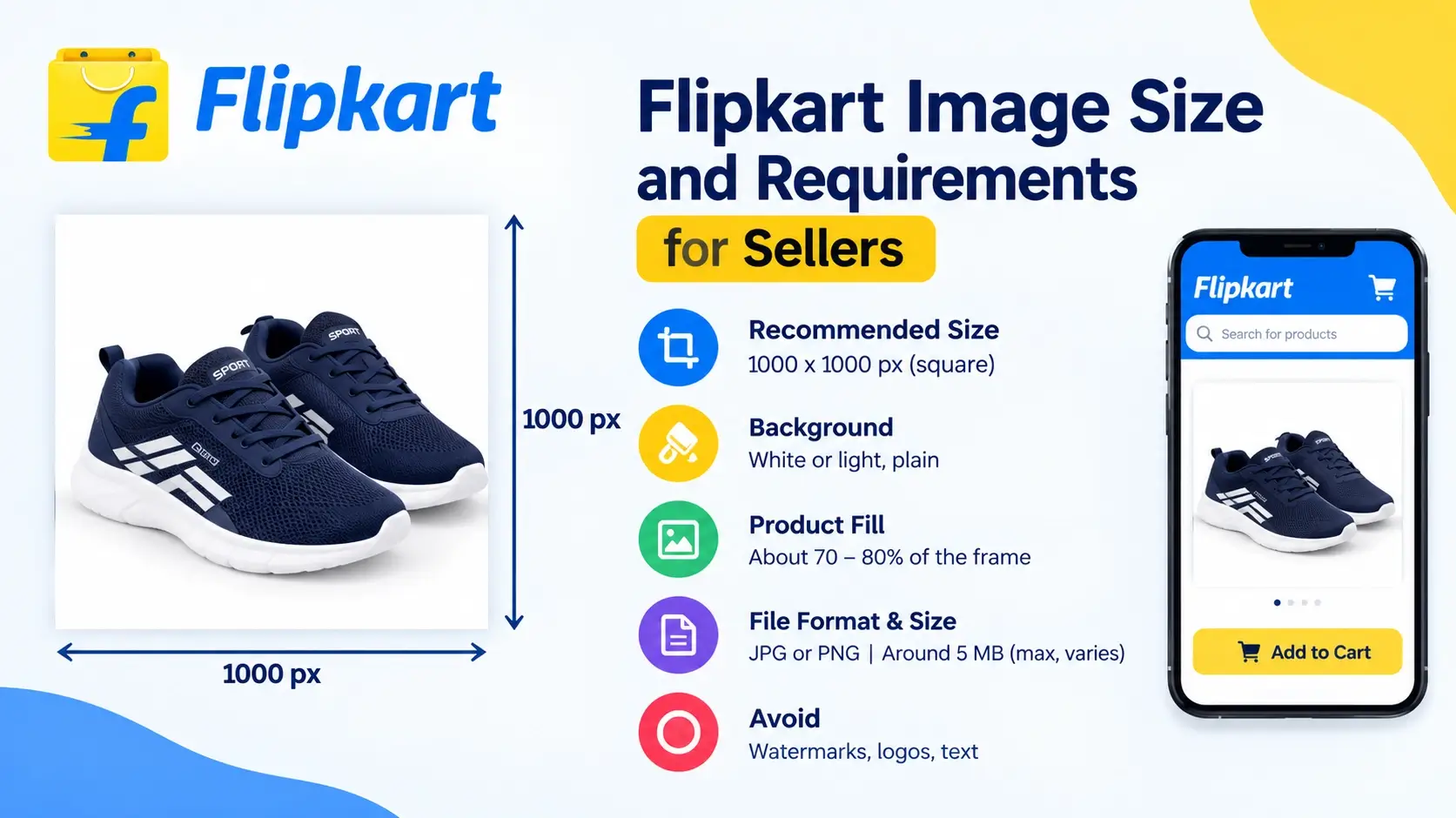
A listing on Flipkart can look great in your head and still get stuck because of its photos. A blurry image, a messy background, a logo in the corner or the wrong size can cause a catalog to be rejected or make a good product look cheap. And since photos are the first thing a shopper sees, getting them right is one of the cheapest ways to improve your listings.
This guide explains what Flipkart sellers commonly use for image size, background and product fill, which details depend on your category, and how to prepare a whole folder of photos quickly. When your photos are ready to go, you can use our free marketplace image resizer to resize and compress them in bulk, right in your browser.
Last updated: October 30, 2026. Flipkart can change its requirements and they can differ by category, so always confirm the latest rules in your Seller Hub before uploading.
Flipkart image size: the numbers sellers commonly use
Different seller guides quote slightly different numbers, so the table below shows common values rather than a single official rule.
ItemCommonly quoted valueShapeSquare (1:1) for most categoriesRecommended size1000 x 1000 pxHard minimum mentioned by some guides500 x 500 pxBackgroundWhite or light, plainProduct fillAbout 70 to 80 percent of the frame (varies by guide)FormatJPG or PNGFile sizeSome guides mention a maximum around 5 MB per imageWatermarks, logos, promotional textAdvised against on listing images
What is certain and what depends on your category
Photo rules on a large marketplace are rarely the same for every product. A mobile phone, a kurta, a kitchen appliance and a book all have different needs. Here is how to separate the safe advice from the details you must verify:
- Safe, widely repeated advice: clear and sharp photos, a plain light background, the real product only, no stretched or distorted images, and no watermark, logo or promotional text on the main image.
- Numbers that vary: minimum pixel size (500 vs 1000), the product fill percentage (70, 80 or more), and the file size limit.
- Category-specific rules: fashion and some other categories may have different frame shapes, model requirements, or extra images such as a size chart. Check the image guidelines shown for your category in Seller Hub.
A sensible approach is to prepare your photos at 1000 x 1000 px, which is above the lowest numbers quoted, and then compare them with your category's guidelines at upload time.
Why Flipkart photos affect your sales
Shoppers on Flipkart compare products quickly. A clean, bright main image helps your listing stand out in search results, while a poor photo makes people scroll past. Good photos also help in other ways:
- Fewer returns. When the photo shows the real color, size and material, buyers know what they will receive.
- More trust. Consistent, clean images across your catalog look professional.
- Fewer rejected listings. Images that follow the rules pass review faster.
The main image: what works
The main image is the one that appears in search results and category pages. It deserves the most care.
- Show only the product. No extra props that could confuse buyers about what is included.
- Use a plain white or light background. Avoid patterned bedsheets, cluttered rooms or colored walls.
- Fill the frame sensibly. The product should be big enough to see clearly, with a small margin around it. Around 70 to 80 percent of the frame is a common target.
- Keep it centered and straight. A tilted product looks careless.
- No text, borders, stickers or watermarks. Put offers and branding on your own channels, not on the listing image.
Other images: build a complete story
After the main image, use the remaining slots to answer the questions a buyer would ask. Think about angles, details and context:
- Back and side views to show the full product.
- Close-ups of material, print, ports, buttons or stitching.
- Scale or size photo next to a common object, or with measurements.
- In-use or lifestyle photo, such as a model wearing it.
- Pack contents if you sell a set or accessories.
- Size chart for categories like clothing and footwear.
Model and lifestyle photos usually have their own background. They work well as secondary images, even if your main image needs a plain background.
How to prepare Flipkart photos in bulk
Here is the fast way to prepare a full catalog. The Marketplace Image Resizer runs in your browser, so your product photos stay on your device.
Step 1: Add your photos
Upload single photos, many photos or a whole folder. The tool accepts JPG, PNG and WebP images. Convert iPhone HEIC files to JPG first.
Step 2: Select Flipkart
You can also select more marketplaces at the same time. For Flipkart, the starting values are 1000 x 1000 px, around 80 percent product fill and a maximum file size. They are editable, so if your category in Seller Hub asks for something different, change the numbers.
Step 3: Choose the fit mode
- Automatic: photos with a plain light background get neat white space, and photos with their own background are cropped to fill the frame.
- Crop to fill the frame: best for model and lifestyle photos. Use the focus option to keep the top of the photo for standing models.
- Keep the whole photo, add white space: best for single products on plain backgrounds.
Step 4: Check the results
Each result shows its dimensions, file size, whether the background is white, and how much of the frame the product fills. Open a few photos at full size to check sharpness and edges.
Step 5: Download and upload
Download individual photos or the full ZIP. Each marketplace gets its own folder, so you can use the same set of original photos for all your channels.
Common reasons Flipkart images get rejected or perform badly
1. A watermark, logo or promotional text
Offers like "50% off" or your shop name across the product are a common problem. Keep the listing images clean. If you want branded versions for social media, make those separately with the bulk watermark adder and read our guide on protecting product photos to do it without hurting sales.
2. Low resolution or blurry photos
Photos taken in poor light or forwarded through chat apps lose detail. Use the original photo from your camera or phone gallery.
3. A cluttered or colored background
Beds, floors, curtains and shelves behind the product distract buyers. Use a plain sheet or wall.
4. Collages and multiple products in one image
Unless your catalog is a set, show a single clear product in the main image.
5. The product is too small in the frame
Too much empty space makes the product hard to see on a phone. Use the tool's option to remove the extra empty border around the product, or retake the photo closer.
6. Stretched or distorted images
Never force a wide or tall photo into a square by stretching. Add white space or crop it instead.
7. Wrong or misleading colors
Heavy filters and bad lighting make a product look different in real life, which leads to returns. Keep editing light and colors true.
Shoot better Flipkart photos at home
- Use daylight from a window and avoid yellow bulbs and harsh direct sun.
- Use a plain white sheet or chart paper as a background, and smooth out wrinkles.
- Hold the phone steady and keep it parallel to the product.
- Clean the lens before every session.
- Shoot at the highest quality and avoid beauty filters or HDR effects that change colors.
- Leave a margin around the product so nothing is cut off during resizing.
File format and file size
For listing uploads, JPG is the safe and light choice for photos, and PNG works for graphics. Some guides mention a size cap near 5 MB, but very heavy files are not a good idea anyway. They load slowly on mobile and are harder to upload in bulk. The resizer saves each image at the best quality that fits under your chosen size limit.
If you also have your own website, WebP is a good format there. Our guide on converting JPG and PNG to WebP explains how. For marketplace uploads, stay with JPG or PNG.
Flipkart vs other marketplaces
If you sell in more than one place, you will notice that each marketplace has its own style. Meesho sellers often focus on mobile-first, WhatsApp-friendly photos, while Amazon is strict about a pure white main image. Read our guides on Meesho product image size and Amazon India main image requirements to see the differences, then prepare one folder of photos for all of them at once.
Pre-upload checklist
- The main image shows only the product on a plain white or light background.
- The size is about 1000 x 1000 px or larger, and the photo is not stretched.
- The product fills a good part of the frame, with a small margin.
- There is no watermark, logo, border or promotional text.
- The photo is sharp and the colors look true.
- File type is JPG or PNG and the size is reasonable.
- You have checked your category's rules in Seller Hub.
Frequently asked questions
What is the best image size for Flipkart?
Many sellers use 1000 x 1000 px square images. Some guides mention a lower minimum of 500 x 500 px, but the safest approach is to use a larger size and verify your category rules in Seller Hub.
Does Flipkart require a white background?
A plain white or light background is the common recommendation for the main image. Secondary images such as lifestyle and model photos can look different.
Can I add my logo or a watermark on Flipkart images?
Seller guides advise against logos, watermarks and promotional text on listing images. Use branded copies on your own website and social media.
How much should the product fill the frame?
Guides commonly mention around 70 to 80 percent, with a small margin around the product. Your category rules take priority.
Which image format should I use?
JPG or PNG. JPG is lighter and good for photos.
Do all Flipkart categories use the same rules?
No. Rules can differ by category, especially in fashion and other categories with models or extra images. Check your category's guidelines.
Can I resize many photos at once?
Yes. The free marketplace image resizer lets you upload a whole folder, apply the same settings to every photo and download everything as a ZIP.
Are my photos uploaded to a server?
No. Everything happens in your browser, so your product photos stay on your device.
Final thoughts
Good Flipkart photos are not complicated: a plain background, a sharp and centered product, true colors, no text or watermark, and a size around 1000 x 1000 px. The details that change from category to category are best confirmed in Seller Hub, and with the numbers editable in the tool, you can adjust in a minute if needed.
Ready to get your folder ready? Open the free marketplace image resizer, select Flipkart, add your photos and download the ZIP. You can find more seller guides on the Instant Convert Tools blog.